Define the deliverable
Write down whether you need a website concept, a presentation, an image, or social content. Include its audience, purpose, required text, and any brand references so you can judge a result against a real brief.
Practical overview
Runable is presented through examples of websites, presentations, images, and social content. This guide separates those visible examples from features you should verify in the current product before planning a project around them.

Runable is a creative-work product associated with visual examples across several formats; an example of a result is not a guarantee of a particular tool or export option.
See how to evaluate presentation examples when your deliverable is a set of slides.
Look more closely at image-related examples and the questions to ask about their output.
Explore what to check when a website concept needs to become a usable site.
Treat the examples as a starting point for a brief-and-review workflow, not as proof of a fixed sequence of controls inside the product.
Write down whether you need a website concept, a presentation, an image, or social content. Include its audience, purpose, required text, and any brand references so you can judge a result against a real brief.
Follow the current product route and check which creation options it actually offers. Confirm how you provide input and whether the resulting material can be edited or exported in a format your project needs.
Check wording, visual consistency, accessibility, and rights before sharing anything publicly. A polished example can suggest a direction, but it cannot replace review of your own material or its final destination.
The clearest distinction is between using a visual example to explore an idea and treating it as a finished, verified deliverable.
Useful starting point
Study a page concept for layout, hierarchy, and visual direction.
Still needs confirmation
Check whether publishing, responsive behavior, and working links are supported.
Useful starting point
Use a slide example to discuss structure and visual tone.
Still needs confirmation
Verify editable slides, speaker notes, and the export format you require.
Useful starting point
Assess a visual direction against a campaign or brief.
Still needs confirmation
Confirm available dimensions, reuse rights, and suitability for final placement.
Useful starting point
Compare examples of post or carousel styling.
Still needs confirmation
Check platform dimensions, text legibility, and brand accuracy.
Useful starting point
Use a draft to identify gaps and questions for stakeholders.
Still needs confirmation
Independently verify factual claims, names, figures, and citations.
Useful starting point
Share an example to align collaborators on a direction.
Still needs confirmation
Confirm editing, accessibility, ownership, and delivery requirements.
The format you need determines which questions matter most. These are potential workflows to evaluate, not claims that every feature is available.
A team needs to discuss the look and order of a short campaign deck before writing final copy.
A visual reference can make feedback more specific; the team still needs to verify slide editing and delivery. See runable ai presentation for a format-focused checklist.
runable ai presentationA designer is comparing possible visual directions for a campaign image.
Examples can help frame a discussion about composition, while dimensions and usage rights remain separate checks. The runable ai image guide covers those questions.
runable ai imageAn owner wants to show a collaborator what a future homepage might look like.
A website concept can clarify preferences without establishing that a functioning site is ready. Review runable website for the difference between a concept and a live page.
runable websiteA lead is deciding whether a visual workflow fits a recurring social-content process.
They can compare examples with their brand standards, then investigate access and any current costs. The runable ai pricing page explains what to verify before committing.
runable ai pricing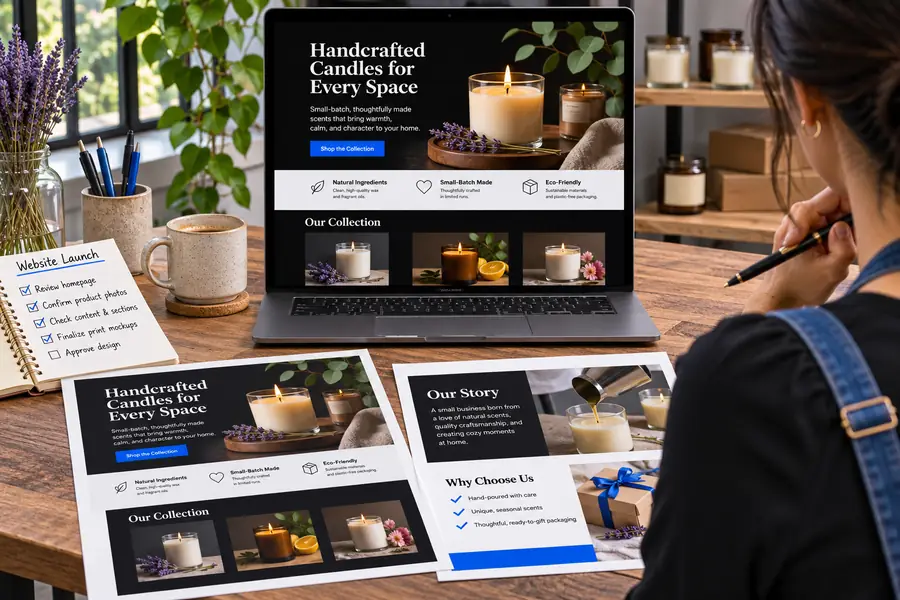

These are separate illustrative examples, not documented before-and-after outputs from one project. Use the contrast to ask what changes between a visual idea and a deliverable you can actually use.
Start with the format you need, then inspect the current product for its supported inputs, editing options, and outputs. If any requirement is essential, verify it directly before relying on an example image.
Runable is associated with examples of websites, presentations, images, and social content. Those examples make it relevant to exploring visual directions, but you should check the current product to see which workflows and outputs it supports.
A website visual does not, by itself, establish that the result is a published, functioning site. Check for responsive behavior, working links, hosting options, and any handoff requirements before treating a concept as production-ready.
Presentation examples can help you assess layout and visual direction. If you need an editable deck, verify the available editing controls and export formats in the current product.
Yes. Check factual statements, spelling, accessibility, brand consistency, and any applicable usage rights. A convincing visual result does not establish that its text or assets are ready for publication.